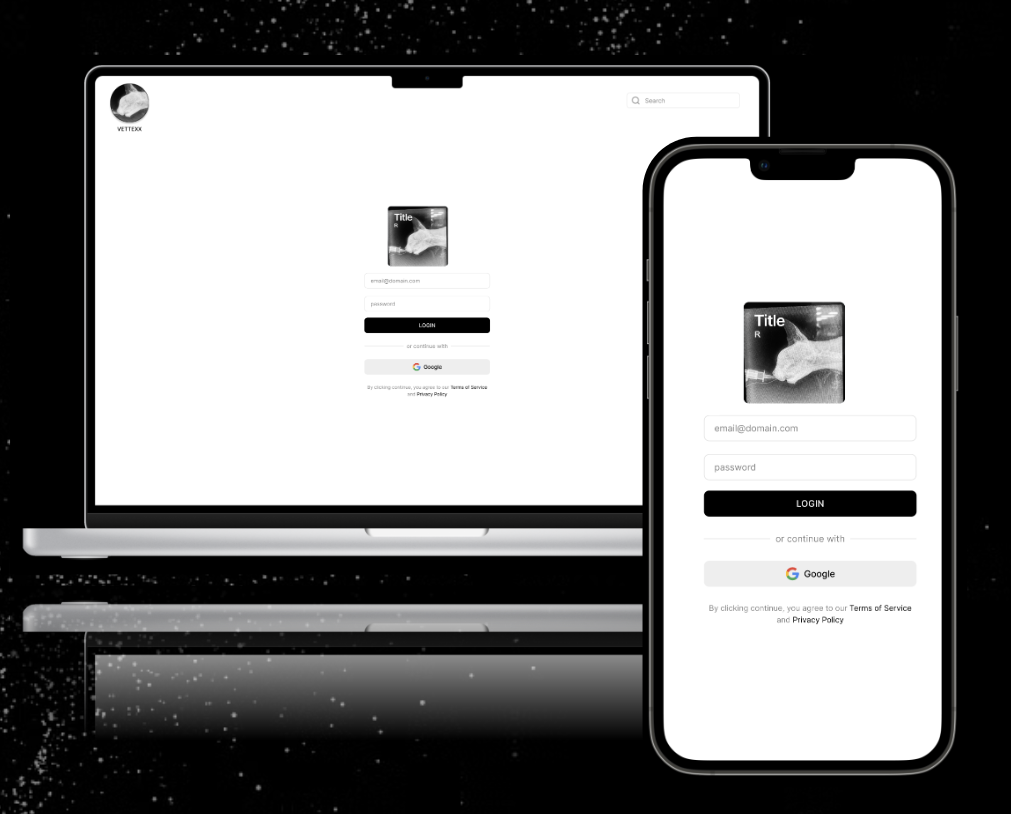
UX Design Process
Veterinary Software UX Project
Project Title
Veterinary Software Workflow Optimization
Overview
This project focused on improving the usability and efficiency of veterinary practice management software used in a clinical setting. In fast-paced environments such as ER and internal medicine, existing systems often created friction through unclear workflows, fragmented information, and inefficient navigation. The goal was to redesign key interactions to support faster, more accurate task completion and reduce cognitive load for clinical staff.
Key Skills
UX Research • Workflow Mapping • Wireframing • Prototyping (Figma) • Information Architecture • Clinical Communication • Problem Solving
VETTEXX
Veterinary Software Workflow Optimization
Overview
This project focused on improving the usability and efficiency of veterinary practice management software used in a clinical setting. In fast-paced environments such as ER and internal medicine, existing systems often created friction through unclear workflows, fragmented information, and inefficient navigation. The goal was to redesign key interactions to support faster, more accurate task completion and reduce cognitive load for clinical staff.
Problem
Veterinary staff relied on software that was not designed with real clinical workflows in mind. This led to:
Time lost navigating between screens
Inconsistent data entry and communication gaps
Increased cognitive load during high-pressure cases
Frustration and reduced efficiency among staff
Goal
Design a more intuitive and streamlined user experience that aligns with real clinical workflows, improves task efficiency, and supports clear communication across veterinary teams.
Process
Research
Observed day-to-day clinical workflows in ER and internal medicine
Identified common pain points in scheduling, patient records, and treatment tracking
Gathered informal user feedback from veterinary technicians and staff
Analysis
Mapped user journeys for key tasks (patient intake, treatment updates, discharge)
Identified breakdowns in information hierarchy and navigation
Prioritized areas with the highest impact on efficiency and clarity
Design
Created wireframes and prototypes in Figma
Simplified navigation and reduced unnecessary steps in key workflows
Improved layout and visual hierarchy for faster information scanning
Standardized components for consistency across the system
Iteration
Refined designs based on feedback from users in clinical roles
Adjusted workflows to better match real-world use cases
Solution
The redesigned system introduced:
Streamlined workflows for common tasks
Clearer organization of patient data and treatment information
Improved visual hierarchy for faster decision-making
Reduced steps required to complete critical actions
Outcome
Improved task efficiency and reduced time spent navigating the system
Increased clarity in communication across team members
Reduced reliance on verbal clarification and workarounds
More intuitive onboarding for new staff
Key Skills
UX Research • Workflow Mapping • Wireframing • Prototyping (Figma) • Information Architecture • Clinical Communication • Problem Solving
Graphic Design
Veterinary Graphic Design Process
Creative Process Outline — Veterinary Graphic Design
1. Problem Definition & Intake
Goal: Understand the clinical, educational, or UX problem that needs to be solved.
Identify stakeholder (veterinarian, technician, client, researcher, admin team)
Define the core issue:
Communication breakdown?
Workflow inefficiency?
Patient safety concern?
Educational gap?
Gather constraints:
Medical accuracy requirements
Regulatory or hospital standards
Time/stress environment considerations (ER, ICU, outpatient)
Output: Clear problem statement + project goals
2. Research & Context Building
Goal: Ground design decisions in veterinary science and real-world workflows.
Observe clinical environments (ER, surgery, labs, exam rooms)
Interview veterinary staff and/or clients
Review existing materials:
Discharge instructions
EMR interfaces
Training documents
Study:
Species-specific anatomy and terminology
Common points of client confusion
Clinical workflow patterns
Output: Research summary + key insights
3. User & Workflow Mapping
Goal: Understand who uses the design and how it fits into their workflow.
Define primary users:
Veterinarians
Veterinary technicians
Pet owners
Support staff
Map user journey:
Intake → diagnosis → treatment → discharge → follow-up
Identify friction points:
Miscommunication risks
High-stress decision moments
Data overload points
Output: User flows + pain point map
4. Ideation & Concept Development
Goal: Generate visual and structural solutions.
Sketch layout ideas (low fidelity first)
Explore multiple communication styles:
Clinical vs. patient-friendly
Text-heavy vs. visual-first
Develop:
Icon systems (medication, symptoms, procedures)
Information hierarchy structures
Visual metaphors for complex processes
Output: Concept sketches + direction options
5. Information Architecture & Structure
Goal: Organize content for clarity and speed of understanding.
Prioritize critical information (safety first)
Break down medical content into digestible sections
Establish hierarchy:
Urgent instructions
Step-by-step processes
Supporting details
Align structure with user urgency (ER vs. general care)
Output: Wireframes or structured layout system
6. Visual Design & System Development
Goal: Build the final visual language.
Develop:
Typography system (readability-focused)
Color coding (severity, urgency, species, workflow states)
Iconography system (standardized across materials)
Ensure accessibility:
High contrast
Simple language pairing
Visual redundancy (icons + text)
Output: High-fidelity designs + design system
7. Validation & Clinical Feedback
Goal: Ensure medical accuracy and usability in real environments.
Review with veterinary professionals
Test comprehension with non-clinical users (pet owners)
Evaluate:
Clarity of instructions
Speed of understanding
Error points or confusion areas
Output: Feedback report + revision list
8. Iteration & Refinement
Goal: Improve based on real-world usability feedback.
Adjust hierarchy, wording, and visuals
Simplify where users struggled
Refine icon clarity and labeling
Align final design with clinical workflow needs
Output: Final refined design system
9. Implementation & Deployment
Goal: Integrate design into real veterinary systems.
Print production (handouts, posters, signage)
Digital integration (EMR systems, portals, tablets)
Staff training on usage
Standardization across departments
Output: Live deployed materials or systems
10. Evaluation & Continuous Improvement
Goal: Measure impact and refine over time.
Track:
Client comprehension
Staff efficiency improvements
Reduction in follow-up questions/errors
Gather ongoing feedback from users
Update designs as protocols or medical standards evolve
Output: Performance review + updated versions
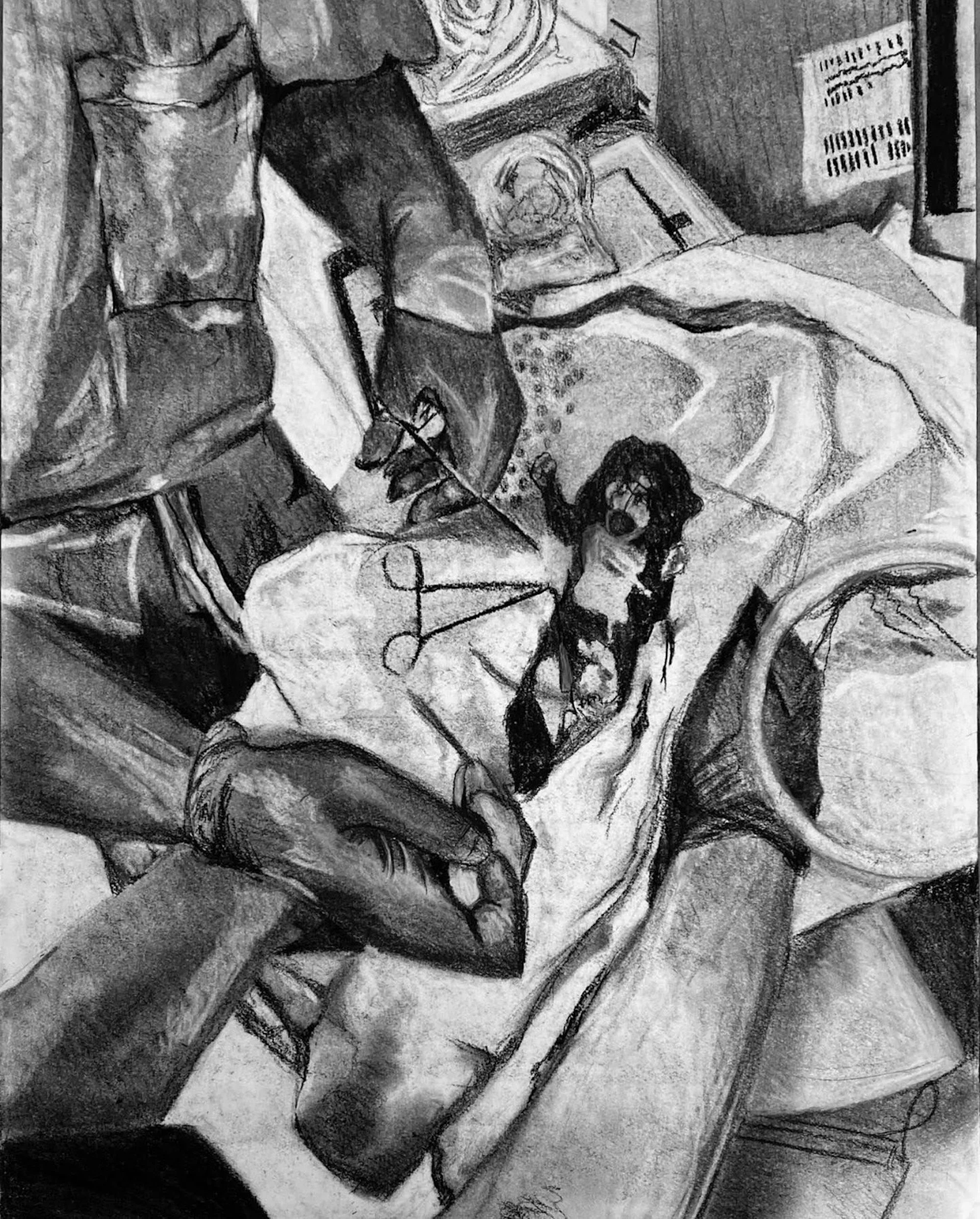
Biomedical Illustration
Behind the creative process for biomedical illustrations
Creative Process — Biomedical Veterinary Illustration
1. Scientific Problem Definition
Goal: Clearly define what biological or medical concept needs to be communicated.
Identify purpose:
Education (students, technicians, clients)
Clinical communication (procedures, pathology)
Research publication or presentation
Define subject scope:
Anatomy, pathology, physiology, pharmacology, or surgical process
Clarify audience level:
Layperson, veterinary student, clinician, or researcher
Output: Defined scientific objective + audience level
2. Veterinary & Biomedical Research
Goal: Establish scientific accuracy before any visual development.
Review veterinary textbooks, journals, and clinical references
Study species-specific anatomy (canine, feline, equine, exotic, etc.)
Gather clinical references:
Radiographs, CT scans, ultrasound, histology slides
Consult veterinary professionals for validation when possible
Identify key biological structures and relationships
Output: Annotated reference collection + scientific notes
3. Conceptual Visualization Planning
Goal: Determine how to visually translate complex biological systems.
Decide illustration type:
Anatomical cutaway
Step-by-step procedural sequence
Pathology progression
Comparative anatomy
Cellular/microscopic visualization
Identify key visual priorities:
What must be emphasized?
What can be simplified or abstracted?
Plan visual narrative flow (especially for multi-step processes)
Output: Concept sketches + visual breakdown plan
4. Structural Sketching & Composition
Goal: Establish accurate spatial relationships and composition hierarchy.
Create rough anatomical layouts
Map proportions based on reference data
Define:
Primary focal structures
Secondary supporting systems
Cutaway or transparency layers if needed
Organize information flow:
Direction of procedure or physiological process
Progressive staging (if multi-step)
Output: Preliminary compositional sketches
5. Anatomical Accuracy & Refinement
Goal: Ensure scientific precision in structure and labeling.
Refine anatomical proportions using reference imaging
Cross-check with veterinary anatomical standards
Adjust:
Muscle placement and depth layering
Organ positioning and spatial relationships
Pathological distortions (if applicable)
Validate against veterinary feedback or literature
Output: Scientifically accurate refined draft
6. Visual Translation & Rendering Style
Goal: Convert scientific structure into clear, readable visual language.
Choose rendering style:
Realistic biomedical rendering
Semi-schematic educational illustration
Vector-based diagrammatic style
Develop visual hierarchy:
Highlighted structures (color, contrast, line weight)
Faded background anatomy for context
Use visual systems:
Color coding for systems (nervous, circulatory, musculoskeletal)
Texture variation for tissue differentiation
Output: High-fidelity illustration draft
7. Labeling & Scientific Annotation
Goal: Ensure clarity through structured informational layering.
Add anatomical labels with consistent typography
Use callouts or leader lines for clarity
Group related structures (systems-based labeling)
Maintain readability without overcrowding
Align terminology with veterinary standards
Output: Annotated scientific illustration
8. Expert Review & Validation
Goal: Confirm scientific integrity and usability.
Review with veterinarians, researchers, or educators
Check for:
Anatomical accuracy
Clinical relevance
Clarity of explanation
Adjust based on feedback:
Misrepresented structures
Overcomplicated visuals
Missing contextual elements
Output: Feedback-driven revision plan
9. Iteration & Final Refinement
Goal: Improve clarity, precision, and visual communication.
Refine anatomical detail and proportion
Adjust contrast and visual emphasis
Simplify or enhance labeling hierarchy
Ensure balance between accuracy and readability
Output: Final polished biomedical illustration
10. Publication & Application
Goal: Deploy illustration in real-world veterinary or educational contexts.
Applications:
Veterinary textbooks and journals
Clinical education materials
Client-facing educational handouts
Digital learning platforms or animations
Prepare formats:
Print-ready high-resolution files
Digital interactive versions (if applicable)
Modular components for reuse in systems
Output: Published or deployed scientific illustration asset
11. Review & Knowledge Evolution
Goal: Keep scientific visuals updated with evolving veterinary knowledge.
Update based on:
New research or imaging techniques
Evolving clinical standards
Feedback from users and educators
Maintain versioned illustration systems for accuracy over time
Output: Updated illustration iterations + system improvements